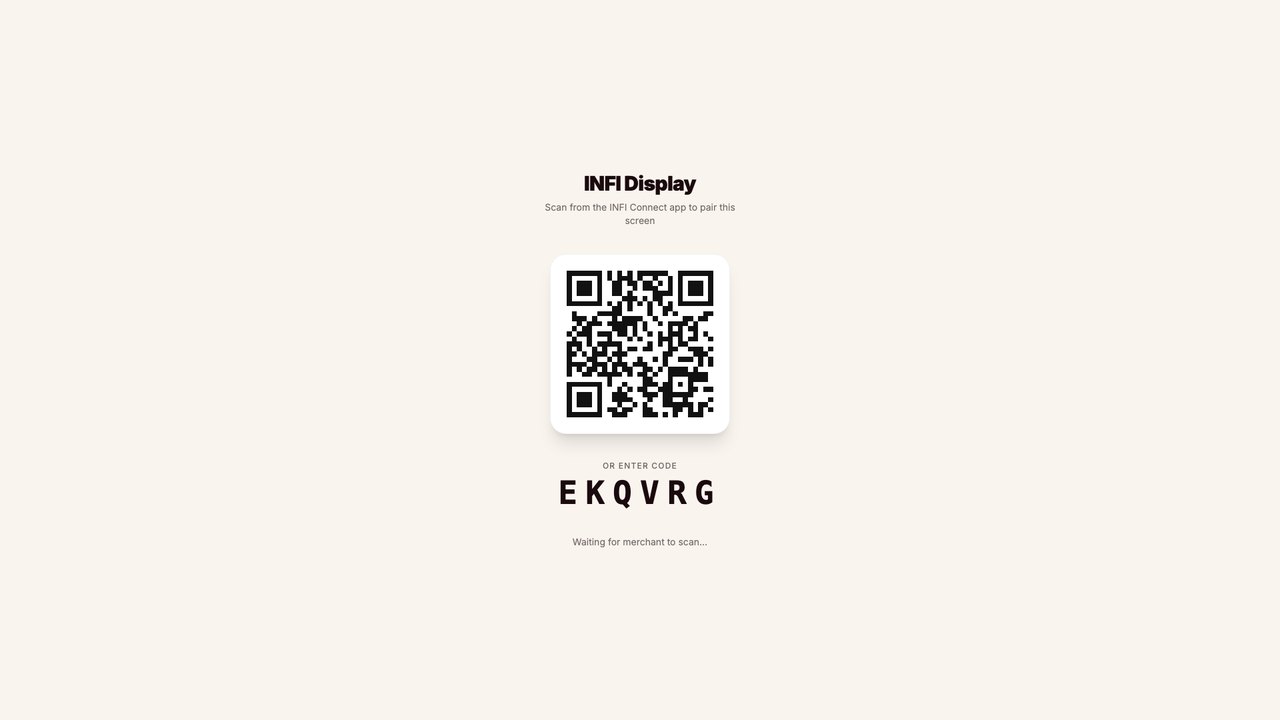
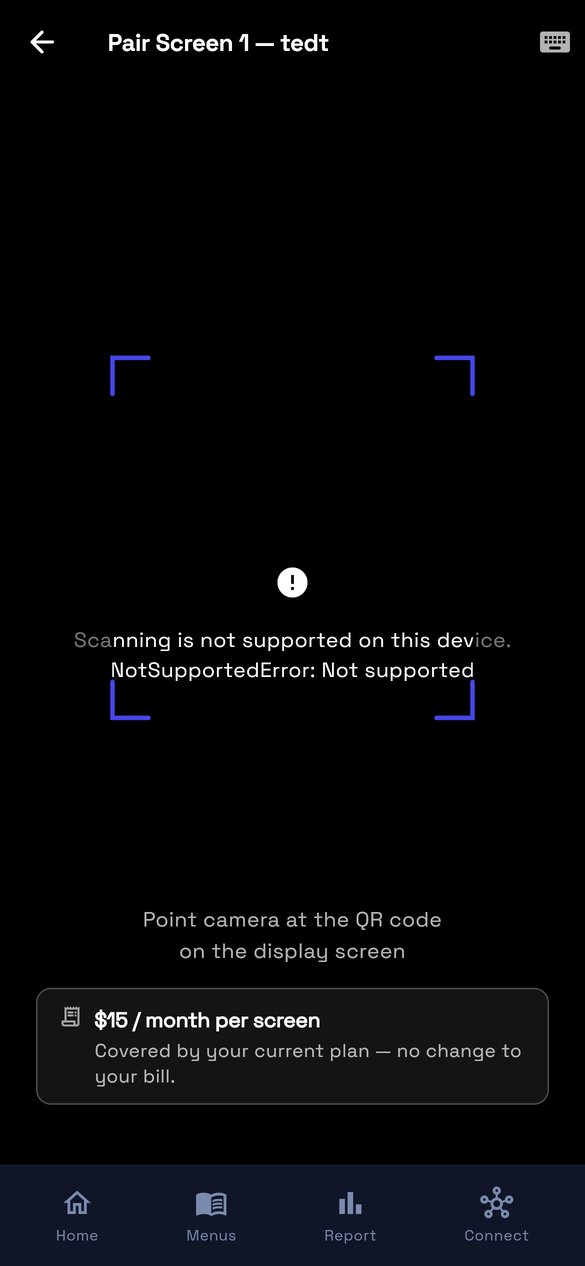
Two surfaces talking to each other: the TV states a code, INFI Connect claims it. Nothing is typed on the television and no remote is needed past turning it on.
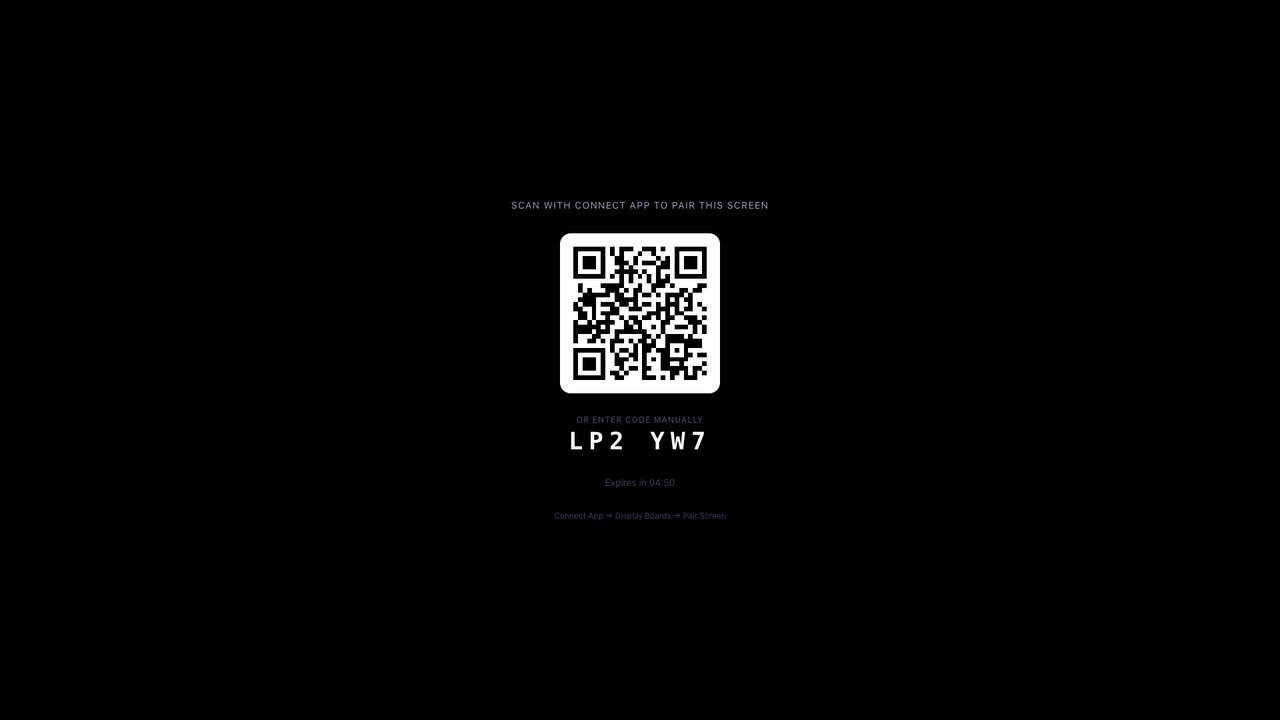
Real captureMenu board · unpairedThe live screen at infi-display.pages.dev. Note it is light, not the dark INFI Connect palette — the board and the app do not share a theme. The code is real and lives five minutes; there is no countdown here, unlike the order-status screen.
Real captureINFI Connect · pairThe real pair screen. The scanner error is an artifact of running in a headless browser; on a phone the camera opens here. Worth noticing: the $15 disclosure at the bottom already exists in the shipped app.
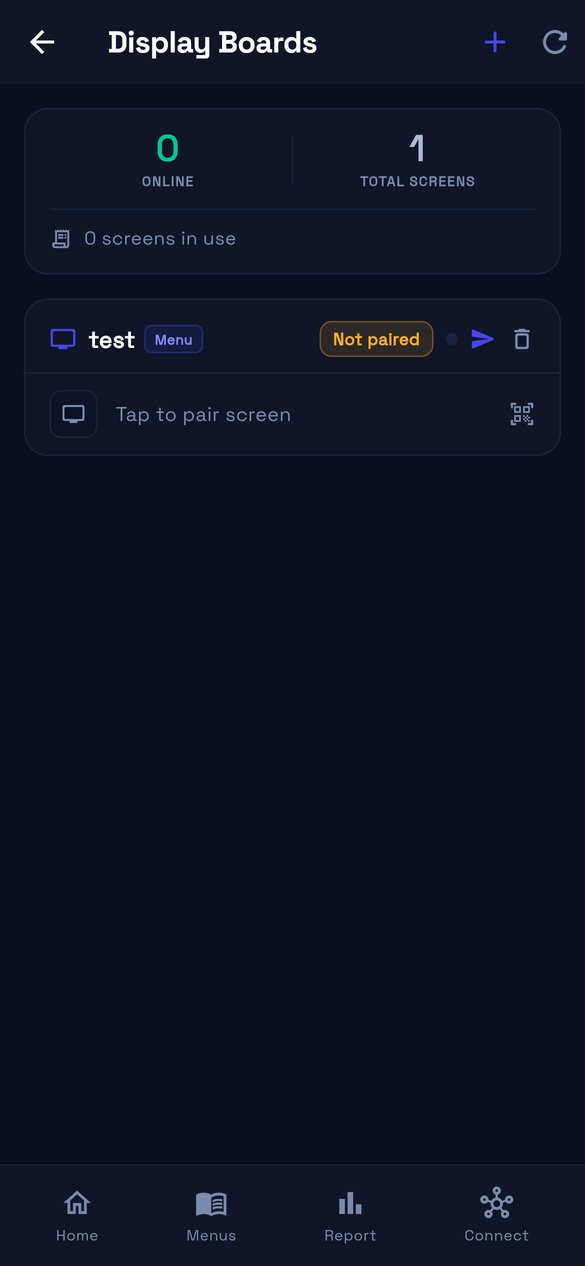
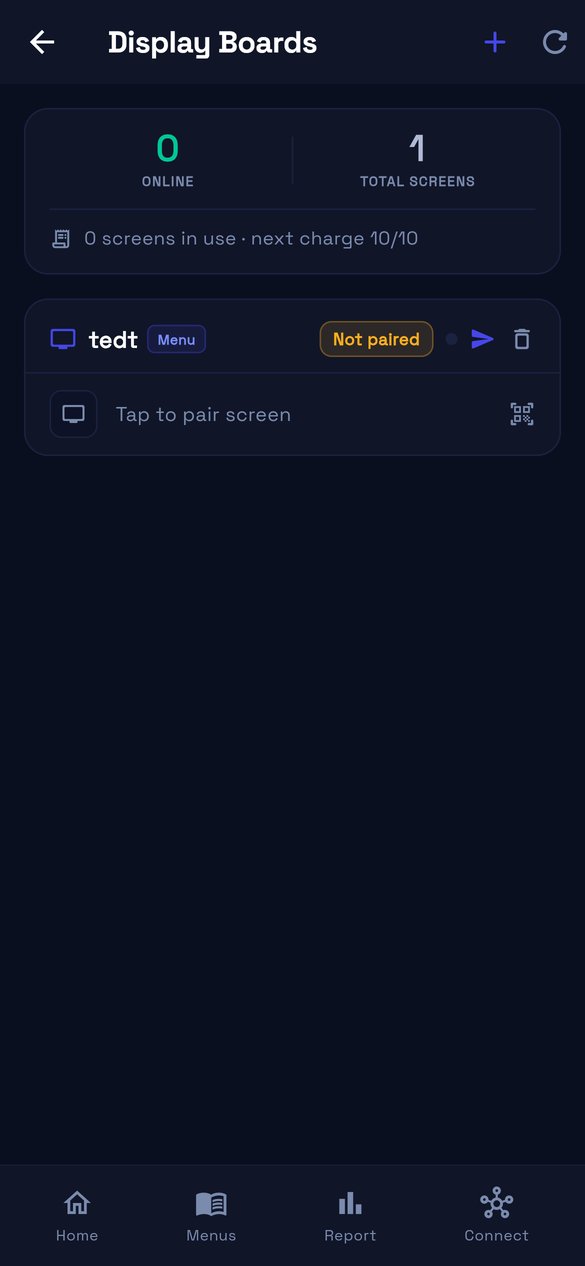
Real captureWhere pairing startsAn unpaired display offers a single row, “Tap to pair screen”. The strip above counts screens and names the next charge date.
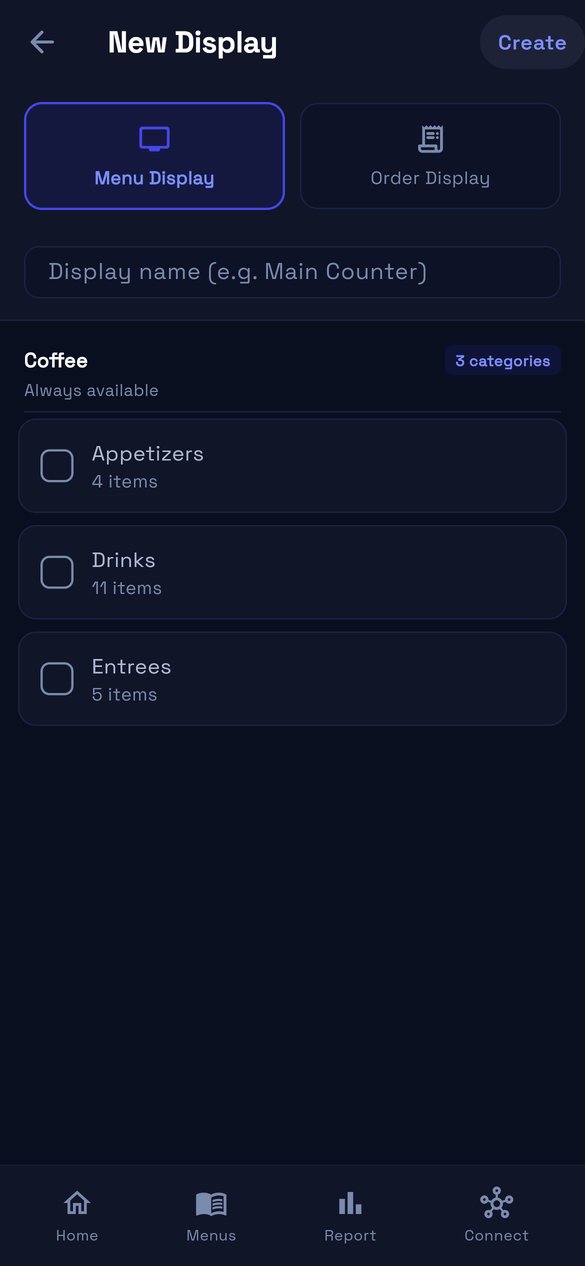
A subtraction, and these are shots of it having happened. The screen-count picker, the per-screen category tabs, the screen-number slots and the n-of-m counts are gone from the shipped build.
Real captureNew DisplayNo “Number of Screens” picker and no Screen 1/2/3 tabs. One name, one list of categories, taken live from the Coffee location’s real menu.
Real captureThe list card“1/1 screens” became Not paired, and the slot number became a screen glyph. A ratio nobody read is now a state.
Real captureMenu tabNo screen selector above the categories. Categories are chosen once for the display, and each row names the menu it came from.
ReversibleEvery control is behind one flag in the app, not deleted. Turning it on restores the picker, the tabs and the badges in place.
SS-10942S3 Template Library & Brand Styling
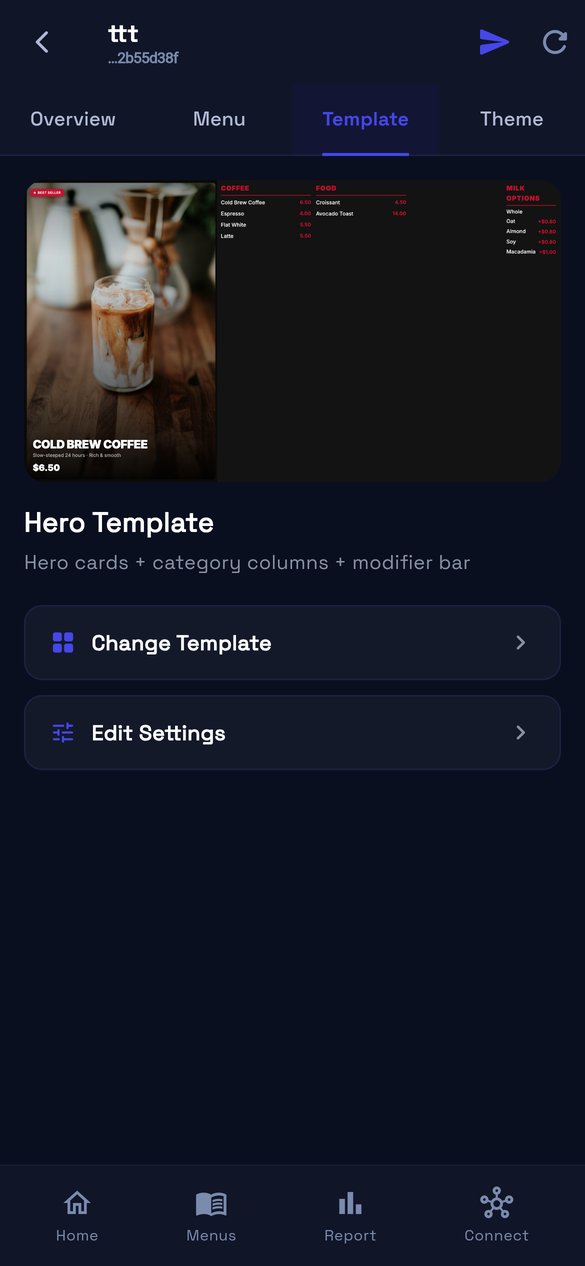
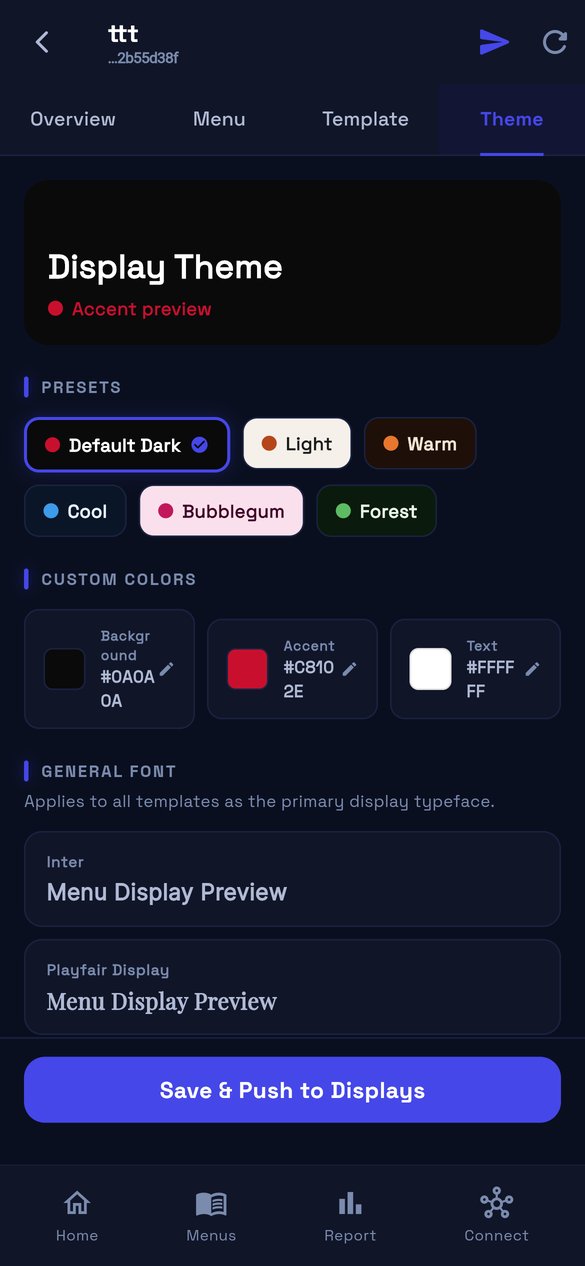
A template decides the layout; a theme decides the colour and type. They are two separate tabs in the app, and the theme is shared across templates rather than owned by one.
Real captureTemplate tabThe current template renders its own live preview — this is the board, not a stock image. Everything else is two rows: change it, or edit its settings.
Real captureTheme tabSix presets, then explicit Background / Accent / Text colours and a font. The operator does pick a text colour here, which is the opposite of what the first draft of this story assumed.
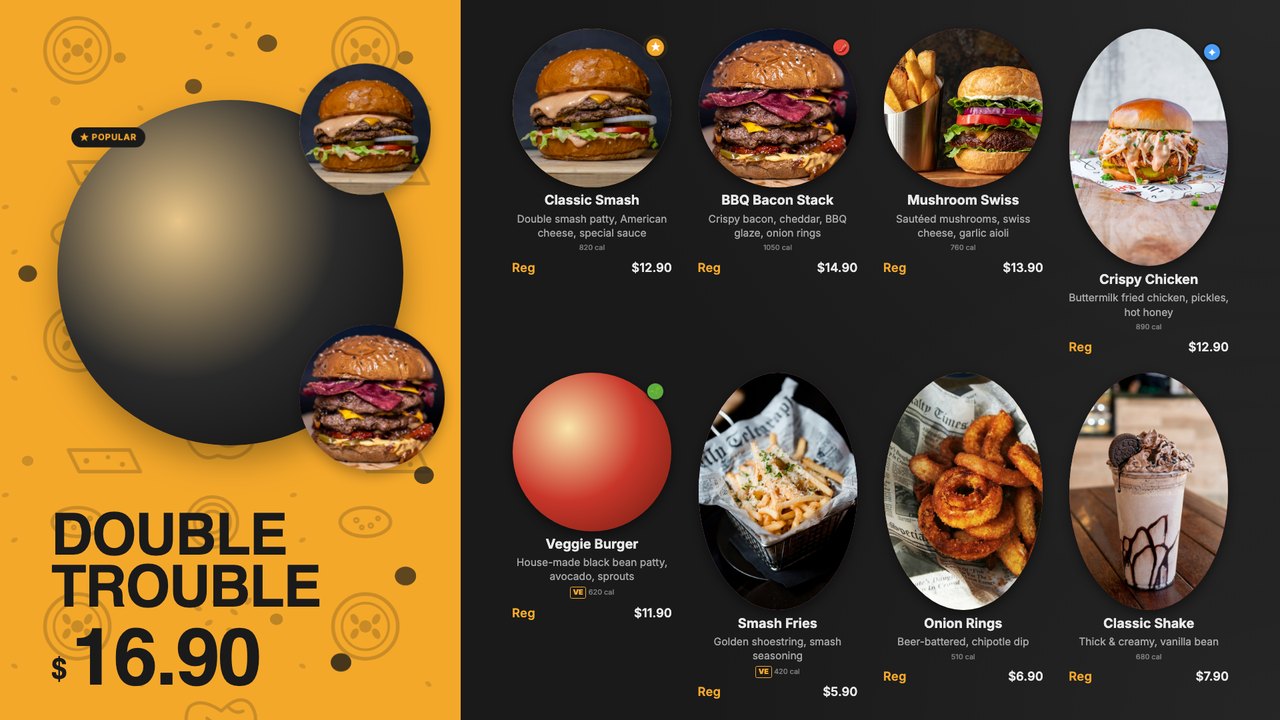
Real captureHero templateA real render. One feature item with its photograph, then category columns and a modifier bar.
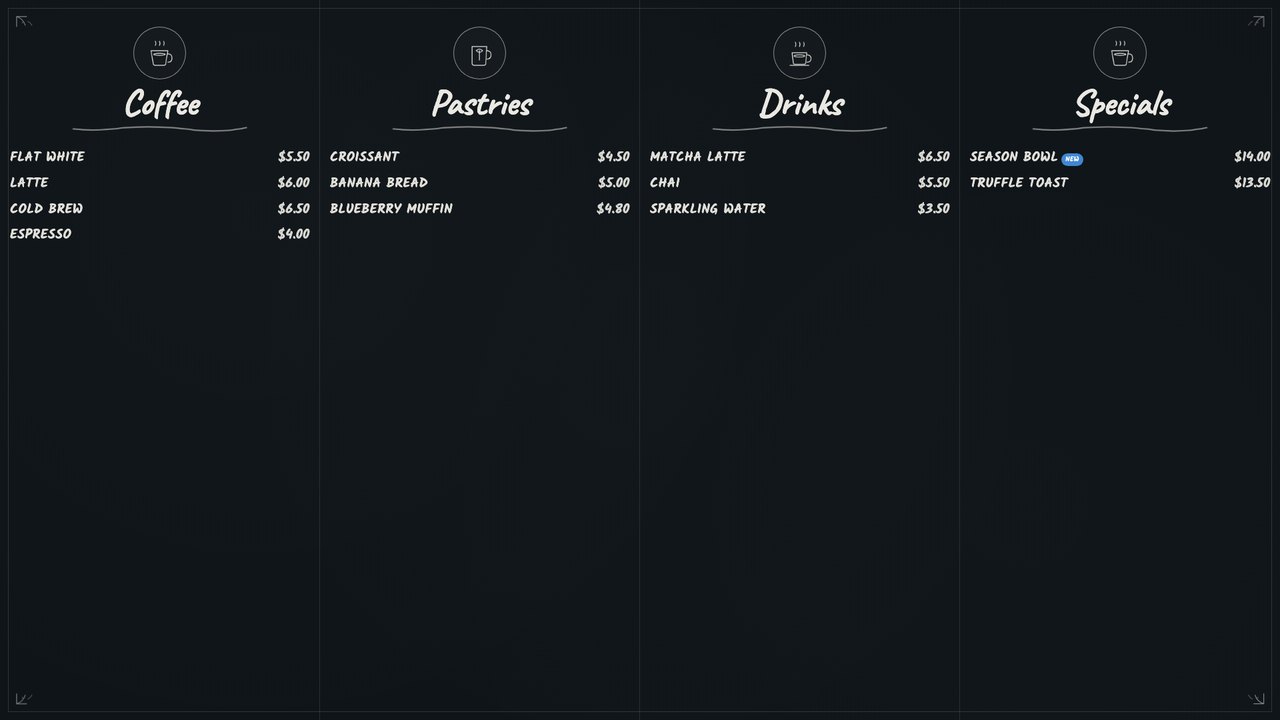
Real captureChalkboard templateSame data, different template. The theme engine’s accent drives the category rules in both.
SS-10943S4 Display Menu Page & Live Sync
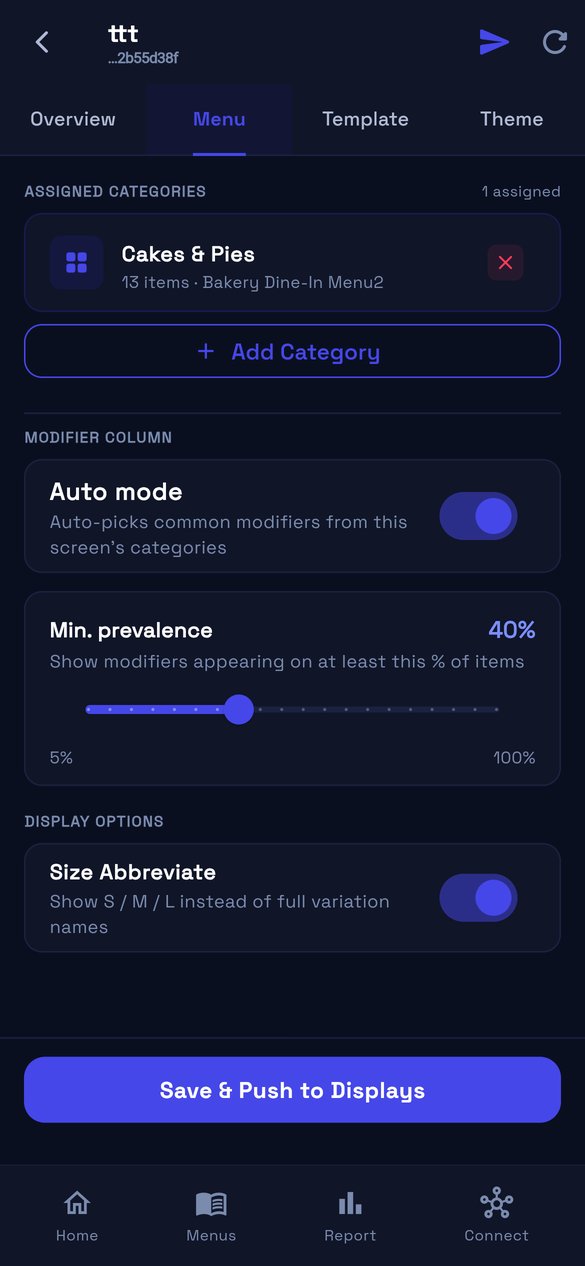
One page decides what the board shows. Everything on it is a curation choice — which categories, how much modifier detail, how verbose the sizes — and none of it reaches the screen until the operator pushes. Prices and sold-out status are the opposite: they arrive on their own, and nobody opens this page for them.
Real captureThe Menu page, top to bottomAssigned categories with a count, each row carrying its item count and the menu it came from — one display can draw from several. Then Modifier column: Auto mode picks the modifiers common to those categories, and Min. prevalence decides how common counts — 5% to 100%, starting at 40%. Switch Auto off and the operator picks from only what those categories actually offer. Then Size Abbreviate, on by default, which turns Small / Medium / Large into S / M / L. Finally Save & Push to Displays: nothing above it is live until that is pressed.
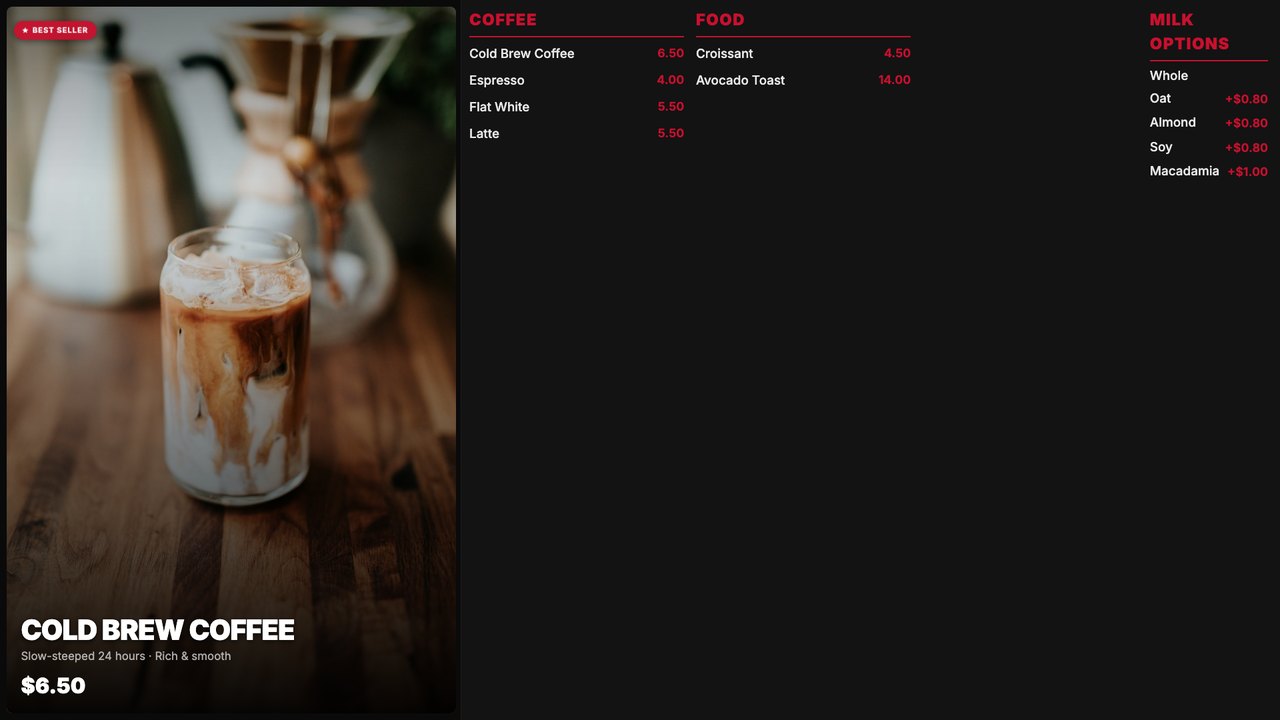
Real captureWhere the modifier column landsThe right-hand MILK OPTIONS column is the modifier column this page configures. In Auto mode at 40% it is showing the milk choices because they sit on most of the coffee items; at 100% only modifiers on every item would survive.
Real captureWhere the categories landThe assigned categories become the board’s columns, in the order the Menu page sets. Prices, photographs and tags are read from the item record — the Menu page chooses what appears, never what it says.
Two mechanisms, deliberately differentCuration is explicit and pushed: assignments, modifier mode and display options travel together when the operator saves, and the screen reloads. Freshness is automatic: a worker re-reads the menu every couple of minutes, hashes it, and pushes only when the hash moved. An 86 during service must never wait on somebody opening this page.
Min. prevalence is the one real decisionToo low and the board carries a modifier that applies to three items; too high and it carries none. 40% is the shipped default, and it is the setting most worth watching in a pilot.
SS-10946S7 Customer Display — Order Status Screen
The only surface in the product whose user is the guest. It answers one question from across a room and shows nothing else.
Real captureOrder status · unpairedThe live screen at customer-display-app.pages.dev. Unlike the menu board it does count down — “Expires in 04:50” — and it spells out the route through the app: Connect App → Display Boards → Pair Screen.
Not capturedThe board with orders on it is not here. It needs a paired screen with live orders, and we decided not to pair one for a screenshot.
SS-10947S8 Remote Screen Management & Health
The operator is not in the store and the screen cannot tell them anything, so the list is the product: every display, whether it is connected, and when it was last heard from.
Real captureHealth at a glanceOnline against total screens, the billing line, then one card per display. State and last-seen live on the row.
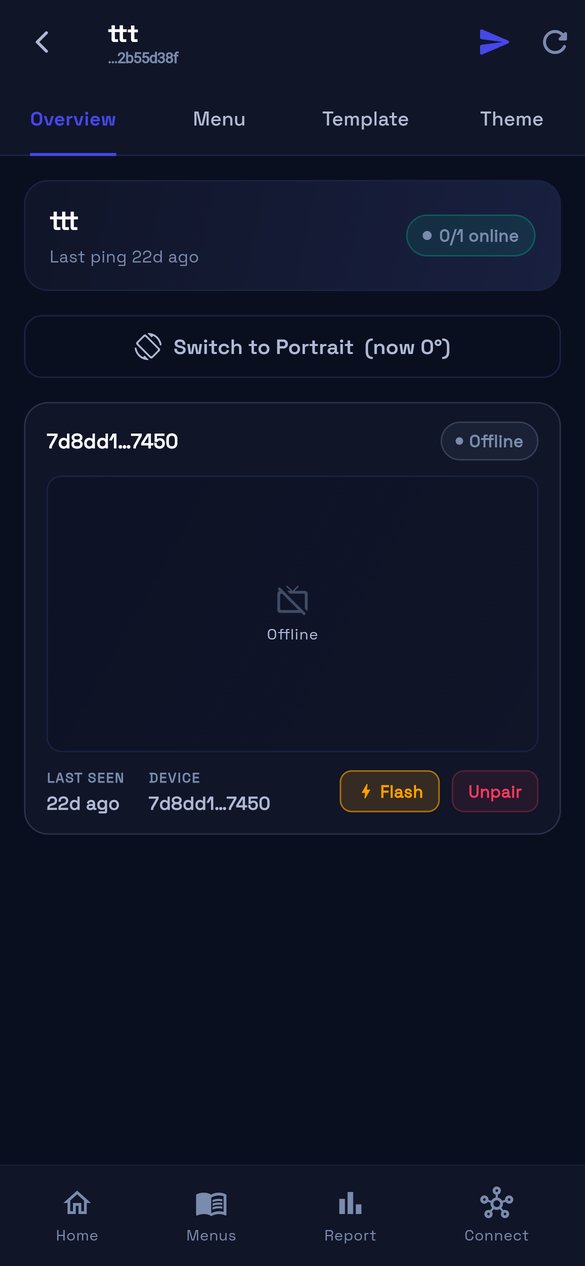
Real captureDisplay detailA real offline screen: “Last ping 22d ago”, the device id, and the two actions this story claims — Flash to identify the physical TV, and Unpair. No “SCR 1” badge any more.
The failure to prevent is a blank TV above a queue. What the app shows about an offline screen is real; what the board shows while offline is still to be built.
Real captureOffline, as the operator sees itThe screen reports Offline with its last ping, and the preview area says so rather than going blank. This half exists today.
Not capturedThe board’s own offline behaviour is not pictured, and the capture work turned up why: the TV app stores no menu locally, so “keeps showing the last menu” is net-new engineering rather than something to photograph.
SS-10949S10 Supported Devices & TV App Distribution
Merchants buy their own hardware, so the deliverable is a list of model names with a verdict beside each, and an install flow short enough to finish on a remote control.
Not capturedNothing here is real yet. The supported-device list has no surface in the product, and the first-run chooser lives in the Flutter TV shell, which cannot be captured from a browser the way the two web displays can. These need either a device on a desk or a build of the TV app.
SS-10950S11 Per-Screen Billing & Entitlement
Nobody should meet the price of a screen on an invoice. Both halves of this already exist in the shipped app, and they are further along than the story assumed.
Real captureBefore the commitment“$15 / month per screen — Covered by your current plan, no change to your bill.” The disclosure sits on the pair screen itself, under the camera, where the decision is made.
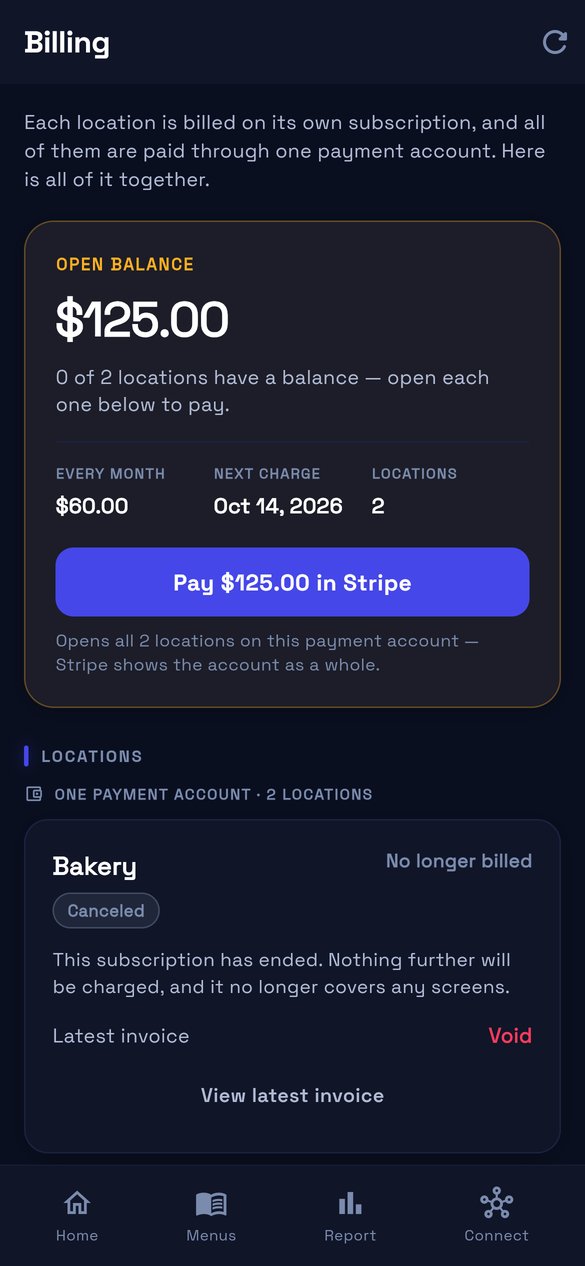
Real captureBillingOpen balance, the monthly figure, the next charge date, and one subscription per location — including a cancelled one that states plainly that it no longer covers any screens.